
How to Enable the Reading Pane in Gmail
Sep 10
1 min read
Gmail can mimic Microsoft Outlook's classic split-screen layout with a reading pane.
The Reading Pane in Gmail allows you to click an email and view it on the right side or below it.

Step 1 - Click the gear icon in the top-right corner of Gmail to access the 'Quick Settings'.
Step 2 - Scroll down to the 'Reading Pane' section and select 'right of inbox' or 'below inbox'.

Once selected, the reading pane will appear; if it doesn't, try refreshing Gmail.
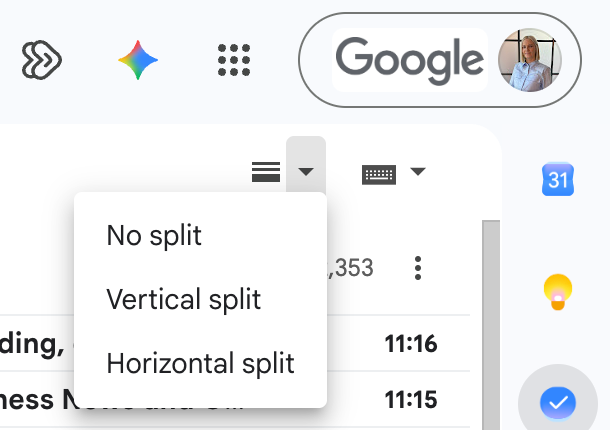
You can then use the toggle to switch between different modes:
To learn more about Gmail, purchase our on-demand course or book a live training session with Cloudshed.

